Thank you, 27,000+ downloads and counting.
Orra
Tone Zone
Tonal Curve Corrector
Analyze, correct, and sculpt your tonal curve in one plugin. See where your mix sits against genre targets and fine-tune with a full parametric EQ and per-band saturation.
Pro adds SCOUT, which sets the six bands for you, and targets taken from real masters.
Secure checkout by Lemon Squeezy
See it and fix it in the same window
Your tonal curve sits over a genre target. Turn up the Correction knob and the FFT-based EQ nudges the spectrum toward it. Then fine-tune with the 6-band parametric EQ and add per-band saturation, with the analysis updating live as you go.
Meter and EQ, one plugin.
How it works
Three layers of tonal shaping that work together or independently
See It — Spectral Analysis
A smooth, slow-moving 40-band spectral analysis shows the true tonal shape of your mix — the big picture, not moment-to-moment chaos.
Your mix's tonal curve is overlaid against genre-calibrated target zones so you can see exactly where you sit at a glance.
Drop in any reference track and Tone Zone learns its tonal fingerprint automatically — build targets from your own favorite masters.
Know exactly where your mix stands
Shape It — Auto-Corrective EQ
Turn up the Correction knob and an FFT-based corrective EQ gently nudges your spectrum toward the target in real time.
Level-awareness detects whether the mix is in a full section or a sparse arrangement and adjusts correction intensity accordingly — no overreacting during intros, bridges, and breakdowns.
Adjustable depth, speed, and ceiling let you dial in exactly how aggressively the correction works.
Correction that adapts to your music
Make It Yours — Fine-Tune by Hand
A full 6-band parametric EQ sits on top of the auto-correction for manual fine-tuning. Drag nodes directly on the spectrum display.
Right-click any band to add per-band analog saturation — Tube, VCA, or British character — for harmonic richness at specific frequencies without extra plugins.
A/B comparison to check your processing against the dry signal.
Your final say over every decision
Orra Tone Zone | Official Walkthrough
Learn how to use Orra Tone Zone — the tonal correction plugin that helps you match the frequency balance of your favorite reference tracks. In this walkthrough, Aaron takes you through everything from setup to building your own tonal curves, plus how to use Orra EQ for precise correction.
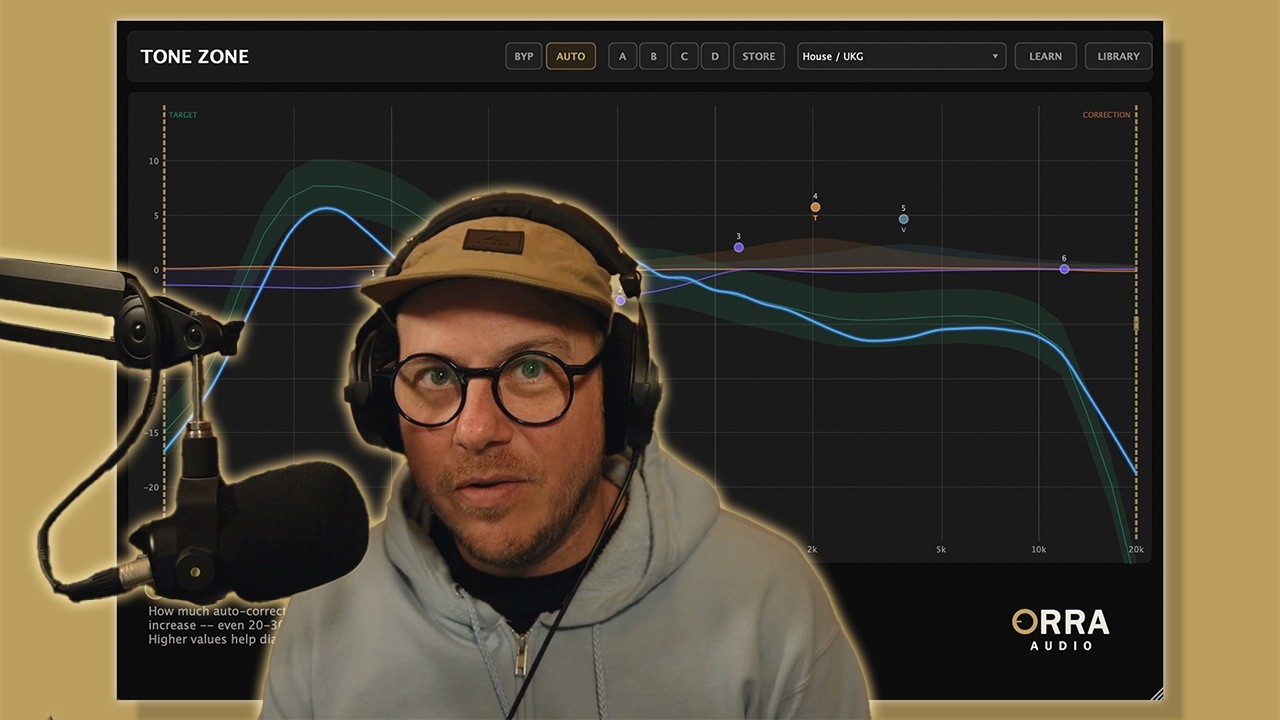
Setup to Tonal Curves in Minutes
Aaron walks you through the full Tone Zone workflow — loading genre targets, building references from your own masters, dialing in auto-correction, and pairing it with Orra EQ for surgical precision.
More videos & articlesWhat's New in v1.1.4
License activation across every open instance, Shift+drag fine control on Windows, tooltips in seven languages, and a round of fixes and optimizations.
Activate once and every open Tone Zone instance picks the license up, in any host
Turn off AUTO to disable tonal correction while keeping the analysis curve and manual EQ active. The engine runs with a flat correction curve (transparent passthrough) — no tonal change, but latency stays consistent for reliable PDC on any track.
Internal Bypass
New BYP button bypasses all processing with a smooth crossfade — no pops. The analysis curve stays live so you can compare processed vs. dry without losing your read on the mix.
A/B/C/D Comparison
Upgraded from two to four comparison slots. Hit STORE to save your current settings into the active slot, then switch between them to audition different target curves or correction amounts.
Fine Control
Shift + scroll wheel for precise Q adjustments. Cmd/Ctrl + scroll for coarse Q changes. Shift + drag on EQ nodes for fine-tuned frequency and gain positioning.
Smarter Auto EQ
Improved behavior during drops, breakdowns, and sparse sections. Correction backs off earlier and ramps back up more gradually after transitions — less unwanted correction on stripped-back arrangements.
Toggleable Tooltips
Click the ? button in the bottom-left corner to show or hide tooltips. Once you know the interface, get them out of the way.
Latency & PDC Fix
Fixed incorrect latency reporting that caused tracks to sound out of time. Tone Zone now accurately reports 7168 samples (~163ms at 44.1 kHz) to the host, so PDC compensates correctly on every track in every DAW.
AUTO Toggle Fix
Fixed crackling and audio glitches when toggling AUTO during playback. The correction engine now always processes audio — AUTO off runs a flat correction curve instead of bypassing the engine entirely.
Bypass Latency Fix
Fixed timing mismatches when toggling BYP or DAW bypass. Both bypass paths now maintain the same latency as normal processing, preventing tracks from falling out of time.
Editor Resize Fix
Fixed plugin window size not persisting after closing and reopening the editor. Size is now saved to a dedicated preferences file on disk and restored reliably across sessions.
Quality of Life
- •Shift+drag fine control for EQ nodes now works in Windows VST3 hosts
- •"Saved" section renamed to "Library" for clarity
- •Tooltips in seven languages, with the ? toggle and language remembered between sessions
- •Windows: improved plugin-window stability in hosts that could previously hit UI freezes
- •Cleaner header — reference track info lives inside the curve dropdown
- •SAVE and clear buttons sit compactly next to the dropdown
Want it to set the bands for you? Orra Tone Zone Pro.
Press SCOUT and it listens to your mix, plans six bands against the target, then checks that plan on the recorded audio and corrects it before applying anything. Targets are taken from real finished masters rather than drawn by hand, and every band gains a dynamic EQ and nine saturation modes.
plans the bands
target curves
saturation modes
See your mix clearly
Orra Tone Zone is free / pay what you can. Get it now and hear what a corrected tonal curve does for your mix.
Complete the family
Orra EQ
16 bands of parametric EQ with per-band dynamic saturation and 17 saturation algorithms — surgical sculpting that sits well next to Tone Zone in a chain.
Explore Orra EQOrra Press
Multi-module serial compressor with seven dynamics engines in six reorderable slots, plus the Orra Link sidechain companion.
Explore Orra Press